
Your Domain, Hosting, and Website Are Not the Same Thing
If you have a website, you’ve probably heard the words domain, hosting, DNS, and website tossed around as though they’re all basically the same thing.
They’re not.
They work together, which is why it’s easy to blur the lines. But understanding what each piece actually does can save you a lot of confusion when something stops working, you change providers, or someone asks you to update your DNS and you suddenly wonder how your afternoon came to this.
Don’t worry. We’re keeping this simple.
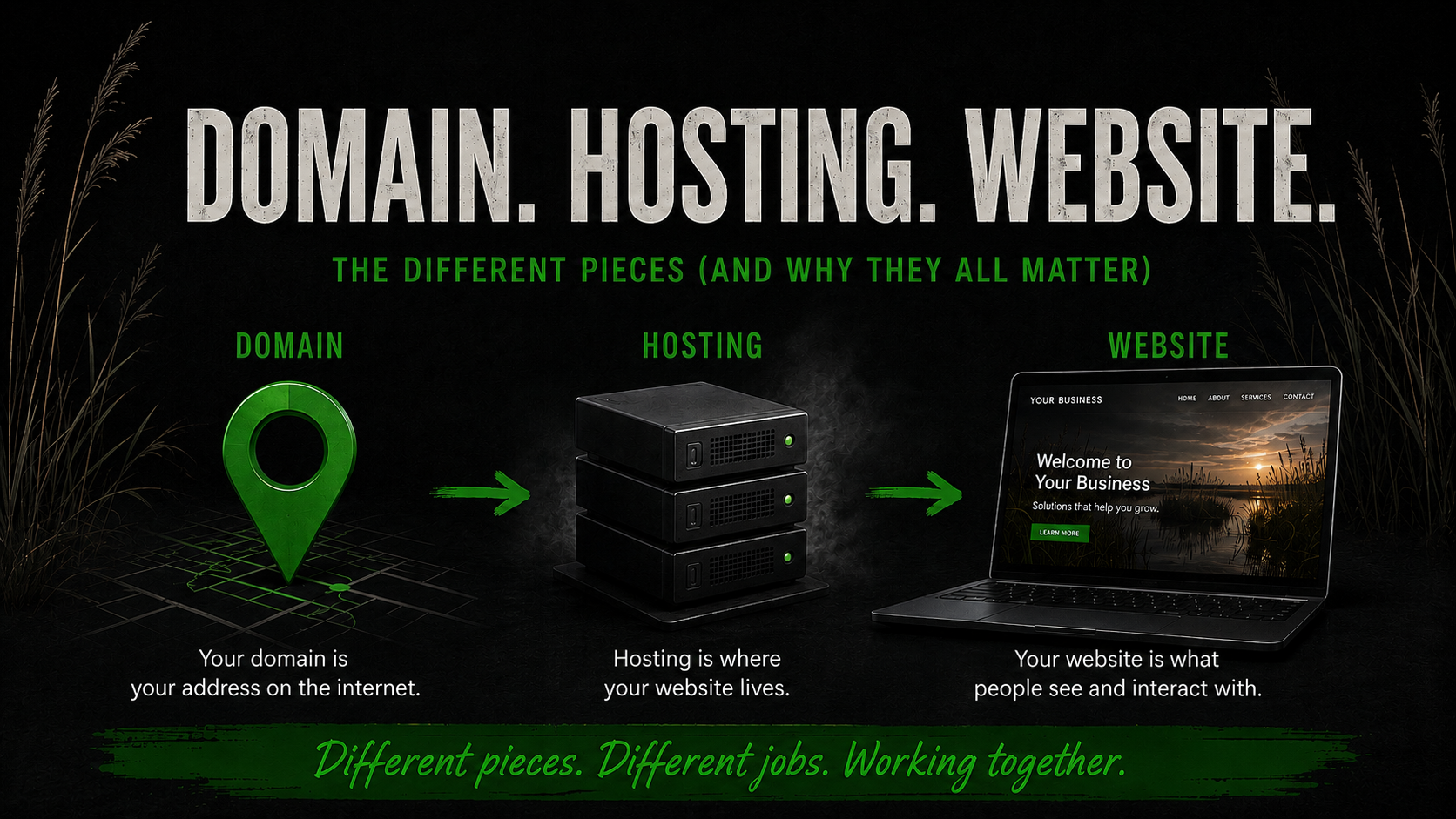
Your Domain Is the Address
Your domain is the name people type into their browser to find you.
For example:
yourbusiness.com
Think of it as the address for your business on the internet.
Registering a domain gives you the right to use that domain for a specific period of time, as long as you continue renewing it.
But buying a domain does not automatically give you a website.
You can own a domain for years without having a website attached to it at all.
That’s distinction number one.
Hosting Is Where the Website Lives
If your domain is the address, hosting is the property sitting at that address.
Your hosting provider gives your website somewhere to live on a server.
Depending on how your website is built, that hosting account may contain things like:
- Website files
- Images
- Themes and plugins
- Databases
- Configuration files
- Backups
For a WordPress website, the files and database are particularly important. Together, they contain the pieces that make your website your website.
No hosting usually means there’s nowhere for those pieces to live.
But here’s where things get confusing: some website-building platforms bundle hosting into the service.
You may never see a button labeled “hosting,” but it’s still happening somewhere.
The internet needs somewhere to put your stuff.
The Website Is What People Actually See
Your website is the collection of pages, content, images, navigation, forms, design, and functionality your visitors interact with.
It’s the house we’ve built on our imaginary property.
So now we have:
Domain = address
Hosting = where everything lives
Website = what we’ve built there
Three different things.
They can all be purchased or managed through one company, or they can live with completely different providers.
Neither setup is automatically wrong.
And Then There’s DNS
Ah, DNS.
The part of the internet responsible for an impressive amount of confusion.
DNS stands for Domain Name System, but knowing what the letters mean doesn’t make it any less weird.
The easiest way to think about DNS is as a set of directions.
Your domain might be registered with Company A.
Your website might be hosted with Company B.
Your business email might run through Company C.
DNS tells internet traffic where each service needs to go.
An A record, for example, can point your domain toward the server hosting your website.
An MX record helps direct email to the correct mail provider.
Other records can verify services, authenticate email, connect subdomains, and do all kinds of useful things most business owners should never have to think about on a Tuesday afternoon.
DNS is essentially traffic control.
And when those directions are wrong, things get weird.
Changing One Thing Doesn’t Necessarily Change Everything
This is where understanding the pieces becomes useful.
Moving your website does not necessarily mean transferring your domain.
Transferring your domain does not necessarily mean moving your website.
Changing your nameservers can affect your website and email if the necessary DNS records aren’t recreated at the new DNS provider.
Canceling hosting doesn’t necessarily cancel your domain.
And changing where your domain is registered doesn’t automatically redesign your website, move your email, or launch anything into space.
They’re connected systems, not one giant object.
Why Nameservers Matter
Nameservers tell the internet where the authoritative DNS records for your domain are managed.
That’s a fancy way of saying:
“Go over there for the directions.”
When nameservers are changed, you’re essentially telling the internet to start looking somewhere else for those DNS instructions.
That’s why changing nameservers without understanding the existing records can cause surprises.
Your website might work perfectly while your email suddenly stops.
Or your email might continue working while the website disappears.
Nothing supernatural happened.
The internet simply followed the directions it was given.
What Is DNS Propagation?
Here’s another phrase you’ll eventually encounter if you own a website:
DNS propagation.
When DNS records or nameservers are changed, the update isn’t necessarily recognized everywhere on the internet at exactly the same moment.
Different networks and systems may temporarily hold older information while those changes spread.
That’s why a website can sometimes work on one device or network before it works on another.
It doesn’t automatically mean somebody broke something.
Sometimes the internet just needs a minute.
And sometimes it needs considerably longer than a minute because apparently even computers enjoy making us wait.
What About Business Email?
Business email adds another layer because an address like:
uses your domain but may have absolutely nothing to do with your website host.
Your website could be hosted with one company while your email is handled by Google, Microsoft, or another email provider.
Again, DNS connects the pieces.
This is why blindly replacing DNS records or changing nameservers can be risky when a domain already has working email.
Before changing DNS, it’s worth knowing what those existing records are doing.
Deleting a mysterious-looking record because you don’t recognize it is an exciting way to discover what it was for.
What Should You Know About Your Own Setup?
You don’t need to memorize IP addresses or become a server administrator.
But if you run a business website, you should know a few basic things:
- Where is my domain registered?
- When does my domain renew?
- Where are my nameservers pointing?
- Who hosts my website?
- Who provides my business email?
- Who has access to these accounts?
- Do I have a current website backup?
Write the answers down somewhere secure.
Future you may be extremely grateful.
When Something Breaks, Start With the Right Piece
One of the biggest advantages of understanding this distinction is knowing where to start when something isn’t working.
If your website is down but email still works, that tells us something.
If the domain itself isn’t resolving, that tells us something different.
If your website works but email doesn’t, we probably shouldn’t start tearing apart WordPress.
And if you just changed nameservers ten minutes ago, we may simply need to give DNS some time before declaring the internet dead.
Knowing which piece you’re dealing with makes troubleshooting much faster.
You Don’t Have to Know Everything. You Should Know What You Own.
Nobody started a landscaping company, consulting firm, bakery, construction business, or online store because they desperately wanted to understand DNS records.
That’s okay.
You can hire people to manage the technical pieces.
What matters is knowing what those pieces are, where they live, and who controls them.
Your domain, hosting, website, DNS, and email all work together to create your online presence.
But they aren’t the same thing.
And once you understand that, a surprising amount of website nonsense starts making a whole lot more sense.